Delta Force Mobile: The Player’s No-BS Guide to Winning Gunfights, Surviving Extractions, and Not Getting Farmed
If you’ve been bouncing between mobile shooters lately, you’ve probably felt the same thing I did: a lot of games either go full arcade chaos (fun, but shallow) or they pretend to be “tactical” while still playing like a sprint-and-spray highlight reel. Delta Force Mobile is the first one in a while that made me slow down, listen harder, think about my angle, and actually care about what my squad is doing—not just what my thumbs are doing.
This guide is written the way I’d explain the game to a friend who just installed it and doesn’t want to waste a week learning the hard way. I’m going to walk you through the modes, the download and setup process, the performance settings that actually matter, and the habits that separate “I got lucky” from “I win consistently.” I’ll also cover weapons, operators/roles, map positioning, ranked climbing, progression, cosmetics, cross-platform account safety, and the troubleshooting stuff nobody wants to deal with… until they have to.
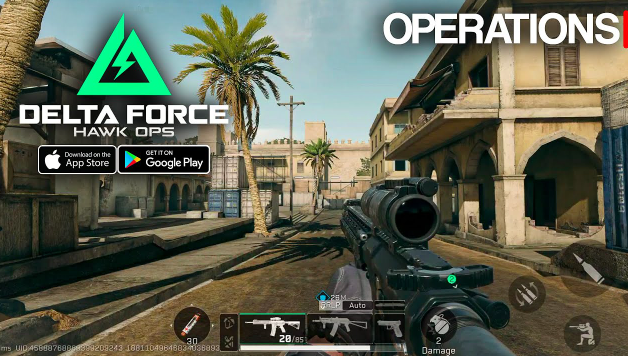
I. Overview of Delta Force Mobile
A. What is Delta Force Mobile?
At its core, Delta Force Mobile is a tactical FPS built around teamwork, positioning, and “play smart or get punished” gunfights. The gunplay leans toward controlled bursts, recoil management, and awareness, rather than pure run-and-gun. You’ll still have fast moments, but the game generally rewards players who:
clear angles instead of face-checking,
use cover and peeks instead of wide swinging,
communicate information (or at least play like they have information),
and make decisions based on objectives, not ego.
Where it gets extra spicy is the extraction-style gameplay in certain modes. If you’ve played extraction shooters, you already know the emotional swing: you go from “I’m just looting” to “I will never emotionally recover if I lose this kit” in about three seconds.
So yeah—expect adrenaline.
B. Key game modes: Operations, Warfare, Hotzone, Raid
Delta Force Mobile doesn’t just give you one way to play. It basically offers different “flavors” of tactical FPS depending on your mood:
Operations: extraction-based, high tension, gear risk, objective + loot + survive.
Warfare: large-scale battles, team pushes, map control, and big-picture strategy.
Hotzone: fast, compact fights (often smaller teams), great for aim practice and learning engagements.
Raid (and PvE variants): progression-focused, less gear anxiety, good for learning and farming safely.
Each mode teaches you something different. If you only grind one mode, you’ll develop gaps. If you rotate modes intelligently, you’ll level up faster as a player.
C. Why it stands out vs other shooters
Here’s the short version of why it stands out (from my experience):
Teamwork matters in real ways
It’s not just “stand near teammates for a bonus.” Your squad choices—angles, spacing, timing—actually decide fights.Real consequences (in extraction modes)
When gear matters, you stop doing dumb stuff. The whole lobby becomes more thoughtful, which makes every win feel earned.Tactical identity feels consistent
The pacing encourages planning. Even when fights are fast, they’re not mindless.It rewards fundamentals
If you can aim, control recoil, use cover, and rotate intelligently, you’ll feel powerful. If you can’t… the game will teach you. Repeatedly.
II. How to Download and Install
A. Download on Android (Google Play, APK options, region issues)
For Android, the cleanest route is Google Play—simple installs, easy updates, fewer headaches.
But sometimes region availability gets weird. If the game isn’t showing up:
Check your Google Play country/region settings (this can be a pain because changing regions is not instant).
Try another Google account that’s already set to a supported region.
Use official distribution partners when available (avoid sketchy “free coins” APK sites—those are a speedrun to account issues).
If you must use an APK route, here’s the rule I live by:
Only install from reputable, well-known APK hosts with good security practices.
Verify the app permissions after install.
Keep your account login separate and protected (don’t reuse passwords).
Also: if updates are frequent, APK installs can become “manual update hell.” If you can get Play Store access working, it’s worth the effort.
B. Download on iOS (App Store availability, device support)
On iOS it’s typically smoother if the game is in your region’s App Store. If it’s not:
You may need to switch App Store regions (or use an Apple ID tied to a supported region).
Keep an eye on device compatibility—mobile tactical shooters can be picky about older devices.
Basic iOS player reality:
If your iPhone runs hot in shooters already, expect heat here too.
Low Power Mode is basically “I choose stutter.”
C. Playing Delta Force Mobile on PC (emulators, basic setup steps)
Yes, you can play Delta Force Mobile on PC using emulators, and it can feel amazing if your setup is right. But emulators are not magic—they’re basically a second computer pretending to be Android, and that has a cost.
General setup checklist:
Pick a reputable emulator (the big names, actively updated).
Enable virtualization in BIOS if needed (Intel VT-x / AMD-V).
Allocate:
CPU cores: don’t starve it (but don’t give it literally everything).
RAM: enough to avoid swapping.
Use a stable graphics renderer (whatever works best for your GPU).
Lock your FPS to a stable target instead of chasing unstable highs.
Also: if you’re using mouse and keyboard, you’ll want to spend time adjusting:
aim sensitivity curves,
ADS transition feel,
and keybindings so you don’t fat-finger your life away.
III. Minimum Specs and Best Settings for Performance
A. System requirements and recommended devices
I’m going to keep this practical: you can run the game on mid-range devices, but if you want consistent performance in firefights, you want:
a solid modern chipset,
enough RAM to keep the system from background-killing your match,
and a screen with decent touch sampling so your input doesn’t feel like it’s wading through syrup.
For “recommended” performance, think in terms of:
stable frame rate during smoke + explosions + multiple players,
no random micro-stutters when you flick,
and consistent ping more than raw download speed.
If your device already struggles in other shooters, treat Delta Force Mobile like a “low settings, high FPS” game from day one.
B. Graphics settings for max FPS and visibility
Here’s the truth a lot of people hate: the best competitive settings rarely look the best.
If your goal is winning fights:
Prioritize FPS stability over pretty lighting.
Keep the game readable: enemies should pop, not blend.
My general approach:
Texture quality: medium (or high if your device handles it)
Shadows: low/off (shadows can look cool, but they cost FPS and sometimes clarity)
Effects: low/medium (explosions don’t need to be cinematic)
Anti-aliasing: low/medium (too high can blur edges and cost performance)
View distance: medium/high if it helps spotting (depends on maps and mode)
The key is consistency. Your brain learns timing and recoil feel based on frame pacing. If your FPS fluctuates, your aim feels “different” every fight.
C. Sensitivity, gyroscope, and HUD layout basics
This is where a lot of mobile players either become gods or stay stuck forever.
Sensitivity
If your sensitivity is too high, you’ll over-flick and lose tracking.
If it’s too low, you’ll feel slow and get melted by fast strafers.
Start moderate, then adjust:
raise general sensitivity slightly if you can’t turn fast enough,
lower ADS sensitivity if your crosshair jitters during micro-corrections.
Gyroscope
Gyro is basically legal aim assistance for your hands—if you learn it.
Beginner gyro tip:
Start with gyro only for ADS (or fine adjustments).
Keep it low enough that your screen doesn’t shake every time you breathe.
HUD
Your HUD should match your fingers, not someone else’s screenshot.
Core principle:
Anything you press in combat should be reachable without moving your thumbs too far.
Shooting + aim + jump/crouch + reload should not require gymnastics.
D. Lag fix, ping optimization, and network tips
Lag isn’t always your internet speed. A lot of mobile lag is:
Wi-Fi instability,
background apps,
device thermal throttling,
or your router deciding it hates you.
My “reduce pain” checklist:
Use 5GHz Wi-Fi if possible (shorter range, better stability).
Avoid crowded networks (shared apartments = pain).
Turn off downloads/streaming on other devices during ranked.
Close background apps.
Keep device cool (heat = FPS drops = input delay = sadness).
If you can, use a router with solid QoS settings.
Also: don’t ignore server region settings if the game allows it. Playing “global” when you have a closer server is basically volunteering to lose trades.
IV. Beginner Guide: First Steps in Delta Force Mobile
A. Core controls, movement, and shooting fundamentals
If you’re new, here’s what matters most:
Move with purpose
Sprinting is loud and predictable. Walking/controlled movement keeps you ready to shoot.Use cover like it’s part of your body
If you’re standing in the open, you’re already wrong.Pre-aim common angles
Don’t aim at the floor while entering a hallway. Aim where enemies actually appear.Burst fire wins
Unless you’re in point-blank SMG range, bursting keeps your shots on target.Stop reloading like a nervous habit
The number of times I’ve caught people mid-reload… it’s free kills.
B. How to set up your first loadout
Your first loadout shouldn’t be “meta.” It should be stable and forgiving.
For most new players:
pick an AR that feels controllable,
use attachments that reduce recoil and improve handling,
bring utility that supports your survival (smokes, heals, recon tools—depending on mode).
Avoid the beginner trap:
“I want the highest damage gun.”
High damage means nothing if you can’t land shots.
C. Understanding TTK and positioning
TTK (time to kill) matters because it determines how fights “feel.”
In faster TTK situations, whoever shoots first and hits first usually wins.
In slower TTK situations, tracking and movement matter more.
Either way, positioning is king.
Golden rule:
If you get shot first and survive, your next decision decides everything.
Do you re-peek?
Do you rotate?
Do you heal?
Do you bait with utility?
New players panic and re-peek the same angle.
Better players relocate or change the timing.
D. Common beginner mistakes to avoid
Here are the classics:
Wide swinging angles like you’re invincible.
Looting too long while ignoring sound cues.
Chasing kills and abandoning objectives.
Splitting from squad and getting 1v3’d.
Reloading after every bullet (please stop).
Not using utility (grenades/smokes exist for a reason).
V. Game Modes Explained in Detail
A. Operations Mode: objectives, extraction, and gear loss
Operations is where the game feels the most “serious.”
The loop usually looks like this:
Deploy with gear
Move toward objectives/loot zones
Fight players and/or AI threats
Decide what to take, what to drop
Extract successfully or lose your kit
The mindset shift you need:
In Operations, your goal is not “most kills.”
Your goal is “profit + survival.”
Sometimes the smartest play is leaving early with a solid haul.
Gear loss is the big teacher here. It forces discipline:
Don’t take fair fights if you don’t have to.
Don’t sprint into hot zones without intel.
Don’t ego-peek when you can rotate.
If you want consistent success, start asking yourself:
“What’s my exit plan if this goes bad?”
B. Hotzone (3v3v3): rules, respawns, and fast practice
Hotzone is the mode I recommend when you want to improve mechanics fast.
Because matches are quicker and fights happen more often, it’s perfect for:
learning peeks,
training recoil,
experimenting with sensitivity,
practicing team pushes.
If respawns exist (or are generous), use that to your advantage:
take fights,
test angles,
learn what wins.
Hotzone can teach you how to win duels, which then makes every other mode easier.
C. Warfare: large-scale PvP strategy basics
Warfare is about macro play:
map control,
lane pressure,
coordinated pushes,
holding choke points,
and responding to enemy momentum.
If you treat Warfare like Hotzone, you’ll die a lot.
Because in large-scale fights, the enemy can punish you from angles you don’t even see.
Basic Warfare habits that win games:
Move with teammates (two guns beat one gun).
Don’t overextend past support.
Use smokes and suppression smartly.
Control power positions rather than chasing random kills.
D. Raid and PvE modes: progression without gear loss
PvE/Raid modes are where you go to:
learn maps without getting third-partied by sweaty squads,
farm progression more calmly,
practice operator abilities,
and test weapons without risking your best kits.
If you’re brand new, spend real time here:
learn sound cues,
learn recoil patterns,
learn how long healing takes,
learn how quickly enemies punish bad positioning.
PvE won’t replace PvP skill, but it builds confidence and familiarity.
VI. Best Settings Guide (Pro Configuration)
A. Recommended sensitivity settings for better aim
Instead of giving you fake “perfect numbers,” I’ll give you a method that works.
Step 1: Set a baseline
Make your hipfire sens high enough to 180 comfortably.
Make ADS sens low enough to track smoothly without shaking.
Step 2: Use a consistent test
Pick a wall or target.
Strafe left-right and track a fixed point.
If you overcorrect, lower ADS.
If you can’t keep up, raise ADS slightly.
Step 3: Separate ranges
Close range ADS can be a little higher.
Long range ADS should usually be lower for micro-adjustment.
The goal is:
fast enough to react,
slow enough to be precise.
B. Optimal HUD layout, buttons, and custom controls
My “pro HUD” philosophy:
Right thumb: aim + shoot + quick utility access
Left thumb: movement + crouch/jump (if you use claw, adjust accordingly)
Common upgrades that make you instantly better:
Put crouch where you can hit it mid-fight.
Put jump where you can bunny/peek without losing aim control.
Keep reload slightly away so you don’t mis-tap in panic.
Keep your fire button comfortable—if it strains your thumb, you’ll lose consistency.
C. Gyroscope setup for advanced players
Gyro is amazing when used correctly, but it’s not magic.
Start simple:
Gyro only while ADS
Low sensitivity
Practice “micro-corrections” rather than full turning
Then level up:
Use gyro to pull down recoil gently.
Use it to track strafing targets.
Keep your thumb aim for big movements, gyro for fine tuning.
If your screen is wobbling like jelly, lower gyro. Consistency beats “fast.”
D. Competitive graphics presets for low, mid, and high-end devices
Low-end device preset (win fights, not beauty contests)
Graphics: Low
Shadows: Off
Effects: Low
Anti-aliasing: Off/Low
FPS cap: Stable target (avoid unstable max)
Priority: low input delay + visibility
Mid-range preset (balanced)
Graphics: Medium
Shadows: Low
Effects: Medium
AA: Low/Medium
FPS: High if stable
Priority: stable frame pacing
High-end preset (still competitive)
Graphics: High (if stable)
Shadows: Low/Medium (only if it doesn’t hurt clarity)
Effects: Medium/High
FPS: Highest stable
Priority: avoid overheating throttling
Real talk: even on high-end devices, overheating can ruin you. Sometimes turning settings down actually makes you win more.
VII. Weapons Overview and Meta Snapshot
A. Weapon classes: ARs, SMGs, shotguns, LMGs, snipers
Assault Rifles (ARs)
The “do everything” class.
Great for mid-range, workable up close, usable at range with control.
Most players should main AR early.
SMGs
Close-range shredders.
Fast handling, strong hipfire, good for aggressive entries.
Weakness: range falloff and recoil at distance.
Shotguns
High risk, high reward.
If your positioning is sharp, you delete people.
If your positioning is sloppy, you die before you get close.
LMGs
Suppression and sustained fire.
Great for holding lanes, punishing pushes, and controlling space.
Often slower handling—don’t get caught sprinting.
Snipers / DMRs
Long-range control and picks.
Reward calm aim and positioning.
Punish you if you miss and get pushed.
B. Current meta weapons and TTK trends
Meta in shooters usually comes down to:
controllability,
effective range,
and how forgiving the weapon is under pressure.
The “best” guns are often the ones that:
kill fast enough,
but also let you stay accurate when you’re stressed.
Also, TTK trends shift based on balance changes, but player behavior doesn’t:
Most fights happen at common ranges based on maps.
So weapons that dominate those ranges feel “meta.”
C. S-tier vs A/B-tier guns and when to use them
Here’s how I think about tiers in practice:
S-tier: strong in most situations, forgiving, wins duels with good fundamentals
A-tier: excellent but needs the right range or attachments
B-tier: usable, but you’re working harder than you need to
Niche: great in one situation, awkward everywhere else
If you’re new, pick A/S-tier “easy guns.”
If you’re experienced, niche weapons can be fun because you can force the right fights.
VIII. Best Weapons and Loadouts
A. Best assault rifle builds (attachments, perks, use cases)
A great AR build usually aims for:
recoil control,
ADS speed that doesn’t feel sluggish,
and stability while strafing.
General AR attachment priorities:
Recoil control (vertical first, then horizontal)
Bullet velocity / range stability (if relevant)
Handling (ADS speed, sprint-to-fire)
Magazine reliability (don’t reload mid-fight)
Use-case builds:
“All-rounder AR”
balanced recoil + decent ADS
best for learning maps and taking varied fights
“Mid-range laser AR”
heavier recoil control, slightly slower handling
best for Warfare lanes and open angles
“Aggressive AR”
faster handling, slightly less recoil control
best for pushing buildings without switching to SMG
B. Best SMG and shotgun builds for close range
SMG builds are about:
sprint-to-fire,
hipfire accuracy,
and recoil that stays controllable for short bursts.
SMG tip that wins fights:
Don’t ADS every time. Hipfire at point-blank can be faster and more stable.
Shotguns:
prioritize consistent one-shot range (or fast follow-up shots).
build around mobility so you can close distance.
Shotgun reality:
You’re playing a positioning minigame.
If you enter the wrong doorway at the wrong time, your shotgun becomes a paperweight.
C. Best long-range rifles and snipers for open maps
For long-range play, your build should prioritize:
stability,
ADS steadiness,
and recoil recovery between shots.
Sniper basics:
hold angles that force enemies to expose themselves,
don’t stay scoped forever (you’ll miss flanks),
reposition after shots when possible.
D. Ready-to-copy meta loadout codes (where applicable)
Some games offer loadout codes, some don’t, and sometimes they’re region-specific. If Delta Force Mobile provides shareable loadout codes in your version:
Use them as a starting point, not scripture.
If a “pro loadout” feels uncontrollable to you, it’s not a pro loadout—it’s a liability.
My advice:
Save 2–3 versions of each gun:
“stable”
“aggressive”
“range”
Then pick based on map and mode instead of stubbornly running one build everywhere.
IX. Operators, Roles, and Team Composition
A. Assault, Recon, and Support roles explained
Assault
Entry fragging, breaking setups, creating space.
Needs confidence and good mechanics.
Recon
Information control: spotting, scanning, flanks, calling rotations.
The best recon players win games without top fragging.
Support
Sustaining the squad: utility, healing, suppression, defensive tools.
Support players are the reason pushes succeed instead of collapsing.
B. Best operators for beginners in each role
Beginner-friendly operators usually have:
straightforward abilities,
reliable value without perfect timing,
and tools that help you survive.
So for beginners:
Assault: pick someone with simple offensive utility.
Recon: pick someone who gives easy intel with low risk.
Support: pick someone with clear sustain or area control.
Avoid beginner trap operators:
the ones that require perfect timing, perfect positioning, or mind games.
Those are fun later. Early on, you want consistency.
C. Advanced operator synergies and team comps
Good teams don’t just pick “strong operators.”
They pick combinations that cover each other’s weaknesses.
Examples of synergy logic:
Recon provides intel → Assault pushes based on intel → Support stabilizes after push.
Support sets area control → Recon denies flanks → Assault cleans entries.
If your squad comp has:
no intel,
no sustain,
and no way to break positions,
you’ll feel it immediately in coordinated lobbies.
D. Solo queue vs premade team strategies
Solo queue
Play more self-sufficient.
Choose operators that don’t rely on perfect teammate follow-up.
Assume communication will be limited.
Focus on survival and information.
Premade team
Specialize roles.
Use simple callouts.
Plan pushes (even a 10-second plan is better than none).
Trade kills intentionally: never let a teammate die alone.
X. Maps and Tactical Positioning
A. Map list overview (Monument and other key maps)
Every map eventually teaches the same lesson:
there are power positions,
there are predictable rotations,
and there are zones where people love to camp.
Your job isn’t to memorize the whole map instantly.
Your job is to learn:
Where fights usually happen
Where third parties usually come from
Where you can safely reset (heal/reload/reposition)
B. Power positions, lanes, and sight lines
Power positions are strong because they give:
cover,
sight lines,
and escape options.
If you find a spot where you can:
see two lanes,
hold head-glitches,
and rotate out safely,
you’ve found a power position.
The counter is:
utility (smokes, grenades),
flanks,
or coordinated pressure.
C. Rotations, flanks, and controlling choke points
Rotation wins games because it lets you:
arrive first,
set up angles,
and force enemies into bad fights.
Flanking wins fights because it:
breaks enemy crossfires,
collapses setups,
and creates panic.
Choke points are where teams die:
if you push blindly, you get farmed.
if you smoke and split angles, you can break through.
A simple rule:
If a choke is heavily defended, don’t “push harder.”
Push smarter—change the angle or timing.
D. Map-specific tips for Operations and Hotzone
Operations
Always know your extraction options.
Never loot with your back to an open doorway.
Move like someone is always watching (because they probably are).
Hotzone
Use it as an aim lab.
Don’t be afraid to take duels.
Practice entry timing and trading with teammates.
XI. Ranked Mode and Competitive Play
A. How the ranking system works
Ranked is where people start playing like they actually care (because they do). Even if the exact system varies, ranked generally rewards:
consistent wins,
objective contribution,
and team play.
What changes in ranked:
people punish mistakes faster,
rotations happen earlier,
and random solo pushes get deleted.
B. Best settings and loadouts for ranked
Ranked loadouts should be:
reliable,
stable,
and versatile.
That usually means:
controlled AR builds,
SMG setups for close maps,
utility that supports team plays (smokes are often MVP).
Settings-wise:
prioritize FPS stability and visibility.
reduce visual clutter.
keep audio clear (footsteps and cues matter more than cinematic effects).
C. Macro strategy: rotations, economy, and risk management
Macro is the part most players ignore, then wonder why they’re stuck.
Macro habits:
rotate early rather than late,
take fights with advantage, not pride,
manage risk based on mode (especially in extraction contexts),
don’t throw your life away when you could reset and re-engage.
If there’s an economy system in your mode:
buy/bring what you can afford to lose,
invest in tools that increase survival,
and avoid “all-in” habits unless you’re forced.
D. Climbing ranked efficiently without burning out
Ranked burnout is real. The trick is to climb without turning the game into a job.
My approach:
play in blocks (not endless hours),
stop after a big tilt streak,
review one mistake pattern at a time,
and focus on improvement goals rather than rank number obsession.
If you lose three games because you keep getting flanked:
don’t rage queue.
fix the flank habit.
XII. Economy, Progression, and In-Game Currency
A. Currencies, tokens, and what they are used for
Most modern shooters have multiple currencies, and they usually fall into categories:
Progression currency: upgrades, attachments, unlocks
Cosmetic currency: skins, bundles, visual items
Event tokens: limited-time items, seasonal rewards
The best habit:
don’t spend premium currency impulsively early.
You don’t even know what you value yet.
B. Fastest ways to level up and farm XP
If you want fast XP, focus on:
consistent match completion,
objective contribution,
and daily/weekly tasks.
PvE/Raid modes are often good for steady progression without the stress of PvP losses—especially if you’re still learning weapons.
C. Daily missions, weekly challenges, and events
Daily/weekly systems are basically the game saying:
“Do these things and we’ll feed you progress.”
Best practice:
pick 2–3 missions you can stack in one session,
avoid weird missions that force you to play badly,
and don’t let challenges override good fundamentals.
D. Free-to-play optimization vs light spending
As a free-to-play player, your strength is efficiency:
invest in a small set of weapons you truly like,
focus on attachments that improve consistency,
and avoid spreading upgrades across everything.
If you spend lightly:
prioritize quality-of-life value (progression boosts, battle pass value, etc.)
avoid gambling-style purchases unless you genuinely enjoy that system.
XIII. Customization: Skins, Cosmetics, and UI
A. Weapon skins, character skins, and how to unlock them
Cosmetics are fun, but remember:
skins don’t win fights,
but confidence sometimes does.
Unlock paths typically include:
events,
passes,
missions,
and shop rotations.
If you want cosmetics efficiently:
watch for bundles that align with weapons you actually use.
A sick skin for a gun you never touch is just inventory clutter.
B. Customizing your HUD and keybinds
HUD customization is not optional if you want to improve.
Every time you mis-tap reload or can’t crouch fast enough:
that’s not “bad luck.”
that’s a HUD problem.
Adjust your HUD in small steps, then test in Hotzone/PvE:
change one thing,
play a few matches,
repeat.
C. Accessibility settings (visual clarity, sound cues)
Use accessibility tools like a competitive player:
increase clarity where possible,
tune audio so footsteps and cues are readable,
reduce screen shake if it affects aim,
adjust color/contrast options if enemies blend into backgrounds.
You’re not “cheating.” You’re using the settings menu as intended.
XIV. Cross-Platform and Account Management
A. Linking accounts across platforms
If the game supports account linking (mobile ↔ PC/emulator), do it early, and do it correctly.
Rules I follow:
link to an email you control long-term,
enable any available two-factor protection,
avoid “temporary” accounts you’ll forget later.
B. Cross-progression and data safety tips
Data safety is boring until it ruins your week.
Protect yourself:
don’t share accounts,
don’t buy accounts,
don’t log into random “reward” websites,
and don’t reuse passwords.
If you invest time into progression, treat the account like it has value—because it does.
C. Settings sync and backing up your configurations
If there’s a settings export feature, use it.
If not, take screenshots of:
sensitivity values,
HUD layout,
gyro settings,
and graphics settings.
Because nothing hurts like reinstalling and realizing you forgot your perfect aim setup.
XV. Pro Tips and Advanced Tactics
A. Recoil control, pre-aiming, and peeking techniques
Recoil control
Pull down smoothly, don’t yank.
Learn one gun deeply before “collecting” guns.
Pre-aiming
Aim where the enemy’s head will appear, not where it currently isn’t.
Peeking
Don’t re-peek the same angle at the same timing.
Use shoulder peeks for info.
Wide swing only when you have advantage (utility, teammate trade, enemy distracted).
B. Sound usage, minimap awareness, and information gathering
Sound is basically free wallhacks (not literally, but you get it).
Use sound like this:
footsteps = direction + distance clues
gunfire = third-party opportunities or danger zones
silence = someone is holding an angle
Minimap awareness:
glance constantly, like it’s a habit
but don’t tunnel vision it mid-fight
Information gathering is how you stop dying to surprises.
C. Team communication templates and callouts beginners can use
If you’re not sure what to say, here are easy templates:
“One on my ping, close.”
“Two pushing left side.”
“I’m healing—cover me.”
“Rotate back, we’re getting pinched.”
“Hold, don’t chase—play objective.”
“I’m smoking the cross.”
“Trade me if I go down.”
You don’t need to be poetic. You need to be clear.
D. Mindset, VOD review, and improving like a competitive player
Want to improve fast? Stop blaming “luck” and start spotting patterns.
After a death, ask:
Did I have cover?
Did I have info?
Did I take a fair fight when I didn’t need to?
Did I re-peek?
Did I ignore sound?
If you can record matches:
review your worst deaths,
find one repeat mistake,
fix that one thing for a week.
That’s how real improvement happens.
XVI. Seasonal Updates, Balance Changes, and Meta Shifts
A. How seasons affect weapons, operators, and modes
Seasons tend to shake up:
weapon balance,
operator strength,
event rewards,
and sometimes map rotations.
The best players adapt quickly because they don’t marry one setup forever.
B. Adjusting your settings and loadouts after patches
After patches:
test your favorite guns in a low-stress mode,
check recoil feel and damage consistency,
adjust attachments if control changed,
and don’t assume your old “best gun” is still best.
Sometimes the gun is still fine, but your confidence got shaken. Testing fixes that.
C. Where to track patch notes and meta discussions
To stay current, I recommend:
official announcements within the game or official social channels,
community hubs where players share builds and settings,
and gameplay clips from strong players (watch decision-making, not just aim).
Meta talk is useful, but don’t get trapped in it.
Fundamentals beat meta when your fundamentals are better.
XVII. FAQ and Troubleshooting
A. Performance problems, crashes, and common bug fixes
If your game stutters or crashes:
Lower graphics and effects first.
Close background apps.
Restart device before ranked sessions.
Clear storage space (low storage can cause instability).
Update the game and your OS.
If overheating is happening, lower settings and take breaks.
If the game crashes consistently:
reinstall (painful but sometimes necessary),
and make sure your account is linked before doing it.
B. Input delay, aim assist questions, and device-specific issues
Input delay can come from:
low FPS,
unstable frame pacing,
Bluetooth latency (controllers/headsets),
or background performance throttling.
Aim assist questions:
Don’t rely on it.
Treat aim assist like a helper, not a crutch.
If you build bad habits around aim assist, you’ll collapse the moment it doesn’t behave the way you expect.
Device-specific issues:
Some devices aggressively throttle.
If your FPS slowly drops over a session, heat is probably your enemy.
C. “Can I compete on a low-end device?” and other common concerns
Yes, you can compete—but you have to play smarter.
Low-end device survival strategy:
run low graphics for stable FPS
avoid chaotic multi-angle fights
use positioning and timing
pick weapons that feel controllable
play roles that add value beyond pure aim duels (recon/support)
You don’t need a monster device to be useful.
But you do need to avoid fighting the game’s performance and the enemy at the same time.
XVIII. Conclusion and Next Steps for Players
Delta Force Mobile is the kind of shooter that rewards you for thinking—and punishes you when you don’t. If you take one thing from this guide, make it this: your settings and your habits are your real “gear.” Fancy guns and cosmetics are nice, but fundamentals win matches.
Here’s the progression path I recommend if you want to get good without feeling overwhelmed:
Week 1: Performance + Controls
Lock in stable FPS
Build a comfortable HUD
Set sensitivity you can control
Try gyro ADS if you’re serious about improving aim
Week 2: Mode Mastery
Hotzone for mechanics
Warfare for macro
Operations for decision-making under pressure
PvE/Raid for low-stress testing
Week 3+: Specialization
Choose your main role (Assault/Recon/Support)&